Overview
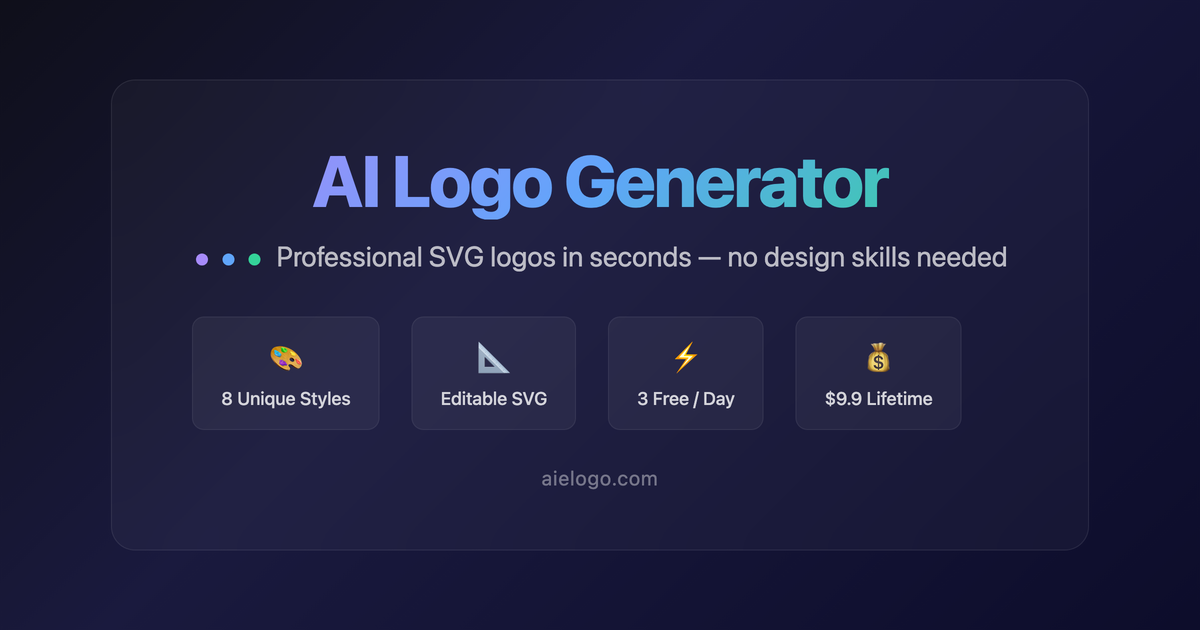
AI Logo Generator is a web-based tool that creates professional SVG vector logos from your brand name, style, and color preferences. It uses DeepSeek AI to generate logos that match your selected brand tone, layout, and typography. Users can preview the logo in a brand kit context—including business cards, web headers, app icons, and social media graphics—before downloading. The tool is designed for quick, no-fuss logo creation without needing design skills.
Application scenarios
Startup branding
Generate a minimalist or tech-style logo for a new company, complete with a brand kit preview.
Social media profiles
Create an icon-only logo for use as an app icon or social media avatar.
Business card design
Preview how the logo looks on a business card layout before finalizing.
Web header graphics
Generate a logo with text on the left and icon on the right for website headers.
Product mockups
Test different color schemes and typography combinations for a product logo.
Personal projects
Design a playful or vintage logo for a blog, event, or personal brand.
Core features
SVG vector output
Logos are generated as professional SVG vectors, ensuring scalability and crispness at any size.
Style selection
Choose from nine logo styles: Minimalist, Modern Tech, Flat Design, Playful & Fun, Elegant & Premium, Bold & Strong, Vintage & Classic, and Gradient-Forward.
Color customization
Set a primary and secondary color, then swap or replace color swatches after generation.
Layout options
Pick from four layouts: Icon left + Text right, Icon top + Text below, Icon only, or Text only.
Typography control
Select a font from Arial, Georgia, Impact, Courier New, or Trebuchet MS, and adjust weight (Normal, Bold, Black).
Brand kit preview
See the logo applied to a Business Card, Web Header, App Icon, and Social Media graphic.
Download formats
Export the logo as SVG or PNG with a single click.
Regenerate and edit
Regenerate a new logo or edit colors and fonts after the initial creation.
Target users
Small business owners, startup founders, freelancers, and marketers who need a quick, professional logo without hiring a designer. It’s also useful for content creators and social media managers who want a cohesive brand identity across multiple formats.
How to use
Open the website and enter your brand name (English works best). Select a logo style, primary and secondary colors, and a layout (e.g., Icon left + Text right). Click "Generate Logo" and wait for the AI to create an SVG vector logo. After generation, you can preview it in the brand kit, edit colors and fonts, or download as SVG or PNG.
Effect review
AI Logo Generator delivers exactly what it promises: a fast, AI-driven logo that looks professional and scales cleanly. The brand kit preview is a standout feature, letting you see how the logo performs across business cards, web headers, and social media before committing. The range of styles—from minimalist to vintage—covers most common branding needs. While you won’t get the nuance of a human designer, the tool is ideal for early-stage projects or when you need a polished logo in minutes. The SVG export ensures you retain full vector quality for future use.
Frequently asked questions
What is AI Logo Generator?
AI Logo Generator by aielogo.com creates professional SVG logos from your brand name, style, and color preferences using DeepSeek AI.
How does AI Logo Generator work?
You provide your brand name, select a style and color preferences, and DeepSeek AI generates a custom SVG logo with a brand kit preview.
Is AI Logo Generator free?
The tool offers free logo generation with basic features, while premium options may be available for advanced customization.
What file format does AI Logo Generator output?
It outputs logos in SVG format, which is scalable and ideal for both web and print use.
Can I customize the generated logo?
Yes, you can adjust style and color preferences before generation, and the tool provides a brand kit preview for further refinement.
Is the logo unique and copyright-free?
Each logo is generated uniquely by AI, but you should check the terms of service for usage rights and copyright details.
Launch URL
https://aielogo.com/Tags
Featured recommendations

AI Logo Generator
alternativeAI logo generator by AILogoGenerator.Online for creating custom brand logos in 30 seconds. Describe your brand to receive instant, professional designs without design skills.

LogoAI.ai
alternativeFree AI logo generator that uses artificial intelligence to help users easily create unique and professional logos.
AI Logo123
alternativeAn intelligent and user-friendly online logo design generator that creates professional logos quickly and easily.

LogoAI
alternativeAI-powered logo design platform for creating professional brand identities and automating brand promotion.

Looka
alternativeAI logo design tool for generating brand identities. Creates professional logos quickly using artificial intelligence technology.

AI Image Creator
alternativeAI Image Creator by AIimgcreator.com for generating, editing, and enhancing images from text descriptions instantly, free with no signup required.
BiaoxiaoZhi Logo Generator
alternativeAI-powered logo design platform that generates professional corporate logos with a single click.

Stockimg
alternativeStockimg is an AI-powered design tool that generates logos, illustrations, wallpapers, posters, and other visual content for creators and businesses.
Related Toolkits
Image / Logo designBiaoxiaoZhi Logo Generator
AI-powered logo design platform that generates professional corporate logos with a single click.
View Details Image / Image editing
MiaoCut
MiaoCut AI by MiaoCut is a free online tool for instant background removal from images, offering HD cutouts without watermarks or signup, with a focus on privacy-first processing.
View Details Image / Image editing
BigJPG
A free online AI tool for lossless image enlargement, enhancing resolution without quality degradation.
View Details