
Overview
AI Eyebrow Filter by AILabTools is a web-based tool that generates natural-looking eyebrows on uploaded portrait photos. Users can instantly create different eyebrow styles, from soft and natural to bold and dramatic. It is designed for quick beauty edits and the creation of social media content. The tool also offers a developer API for integrating its eyebrow generation capabilities into other applications.
Application scenarios
Social media content creation
Generate stylish eyebrow looks for profile pictures and social publishing.
Beauty and retouching workflows
Create outputs for retouch references and client proposals.
Advertising and campaign testing
Quickly compare bold eyebrow styles for ads, thumbnails, and brand key visuals.
E-commerce production
Batch-generate consistent eyebrow style variants for product shoots.
Creative A/B testing
Test different eyebrow density, shape, and mood for visual direction.
Team-based content calendars
Standardize prompts to produce consistent styles across creators and channels.
Core features
Portrait upload
Upload a clear portrait in JPG, PNG, or WEBP format with visible eye details.
Style description
Describe your desired eyebrow filter style and style direction for the AI to render.
Multiple style generation
Generate realistic eyebrow style variations, including natural, soft brow lift, wispy, cat-eye, mega volume, and dramatic curl extensions.
Realistic detail rendering
The AI preserves brow fibers, separation, catchlight balance, and enhances micro-texture and line clarity.
Natural blending
The pipeline reduces fake overlay artifacts, ensuring clean blending even in close-up crops.
Batch processing
Teams can standardize prompts and batch-generate consistent eyebrow style variants at scale.
Developer API
Integrate eyebrow filter and style generation into your own app with a production-ready API.
Secure file handling
Uploaded and generated files are automatically deleted within 24 hours.
Target users
This tool benefits beauty content creators, social media managers, digital marketers, and advertising teams who need visual content. It is also practical for photographers and retouchers working on client portraits, as well as development teams looking to embed AI-powered beauty features into their own applications.
How to use
Go to the official website. Upload a clear portrait photo or drag an image into the designated area; you can also use the provided sample images. Optionally, upload a reference eyebrow image for style guidance. Describe your desired eyebrow filter style and style direction. Click the generate button to create realistic eyebrow variations. Download the result for use in retouching, client proposals, or sharing on social platforms.
Effect review
The tool emphasizes producing realistic results by preserving critical details like brow fibers, light reflections, and natural transitions. Its focus on reducing fake overlay artifacts and ensuring clean blending suggests it is engineered for professional use where a natural finish is required. The ability to generate everything from wearable, everyday looks to dramatic, bold styles makes it versatile for both personal beauty previews and commercial campaign testing. For teams, the promise of consistent, batch-processed outputs addresses a clear need for scalable content production without sacrificing visual quality.
Frequently asked questions
What is AI Eyebrow Filter?
AI Eyebrow Filter is a tool by AILabTools that lets you upload a portrait to instantly generate natural-looking eyebrows in various styles.
How do I use AI Eyebrow Filter?
Upload a portrait photo, and the tool will automatically apply natural-looking eyebrows. You can choose from soft, volume, and cat-eye styles.
What eyebrow styles are available?
AI Eyebrow Filter offers three styles: soft (natural look), volume (fuller brows), and cat-eye (defined, arched brows).
Is AI Eyebrow Filter free to use?
AI Eyebrow Filter by AILabTools is available for use, though specific pricing or free tier details should be checked on their official platform.
Can I use AI Eyebrow Filter for social media content?
Yes, it's designed for quick beauty edits and creating engaging social media content with enhanced eyebrow styles.
What types of photos work best with AI Eyebrow Filter?
Clear, front-facing portrait photos with good lighting yield the best results for natural-looking eyebrow generation.
Launch URL
https://www.ailabtools.com/eyebrow-filterTags
Featured recommendations
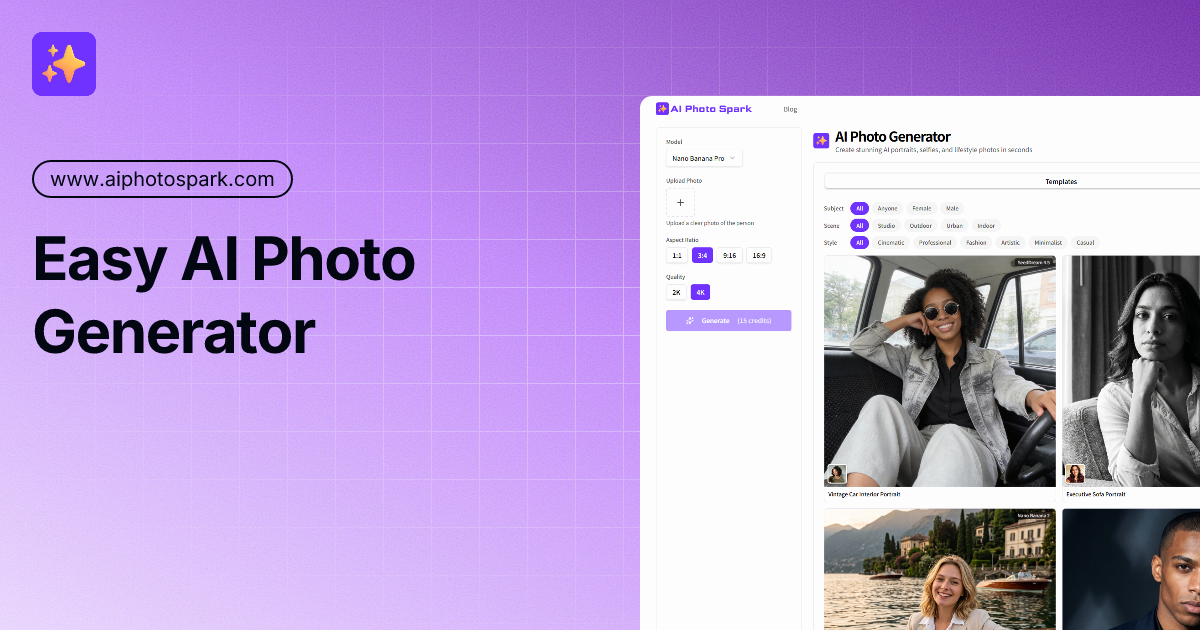
AI Photo Generator
alternativeAI Photo Generator by AI Photo Spark turns one selfie into professional AI portraits. Choose from various styles to get studio-quality results in seconds. Easy to use and free to start.

Photo Editor AI
alternativePhoto Editor AI by photo-editor-ai.io offers AI-powered editing for stunning portraits, Studio Ghibli art, instant retouching, old photo restoration, and 4K upscaling.

AI Photo Editor
alternativeAI Photo Editor by aiphotoeditor.io is a free online tool for fast image editing. Remove, replace, enhance, and restyle photos in seconds using simple AI features.

AI Facefy
alternativeAI Facefy is a free, secure AI tool for generating and remaking facial images and videos. It uses cutting-edge AI technology to effortlessly transform photos into new photos or videos.

AI Image Editor
alternativeAI Image Editor by ImageFK for editing photos with text prompts. Upload an image, describe your changes, and transform pictures instantly using AI.

GenerateImage.ai
alternativeGenerateImage.ai is an AI image generator and photo editor offering 100+ effects. It enables users to generate, edit, and enhance photos via text prompts, requiring no design skills.

AI Image Creator
alternativeAI Image Creator by AIimgcreator.com for generating, editing, and enhancing images from text descriptions instantly, free with no signup required.

AI Image Generator
alternativeAI Image Generator by GenImage for creating and editing images from text, removing backgrounds, upscaling, and enhancing photos with over 100 AI effects.
Related Toolkits
 Image / Image editing
AI Remove Text From Image
AI tool by AI Remove Text From Image for removing text, watermarks, captions, and logos from photos online. Upload an image, brush the unwanted area, and download a clean result.
View Details Image / Image editing
MiaoCut
MiaoCut AI by MiaoCut is a free online tool for instant background removal from images, offering HD cutouts without watermarks or signup, with a focus on privacy-first processing.
View Details Image / Image editing
BigJPG
A free online AI tool for lossless image enlargement, enhancing resolution without quality degradation.
View Details